> ## Documentation Index
> Fetch the complete documentation index at: https://docs.listenlabs.ai/llms.txt
> Use this file to discover all available pages before exploring further.
# Seat Types & Permissions
Your Listen workspace is the organizational hub for your team's research. This article covers how to invite team members, understand seat types and permissions, and configure workspace-level settings that apply across all studies.
 ## Seat Types & Permissions
### Organization Roles
* **Admin:** Full control over the organization — all studies, billing, workspace settings, and user management.
* **Researcher:** Can create and launch studies. The standard role for anyone actively running research.
* **Collaborator:** Can create and edit studies but cannot launch them. Great for team members who need review before going live.
### Team Roles
* **Manager:** Can admit new members to the team for a specific study.
* **Researcher (team):** Can edit and view all studies shared with that team.
### Automatic Permissions
* Organization Admins automatically get full access to all studies in the workspace.
* Study creators always have full access to their own studies, regardless of team role.
**New in February 2026:** The Collaborator role lets you scale research creation while keeping quality controls in place — Collaborators can build, but only Researchers and Admins can launch.
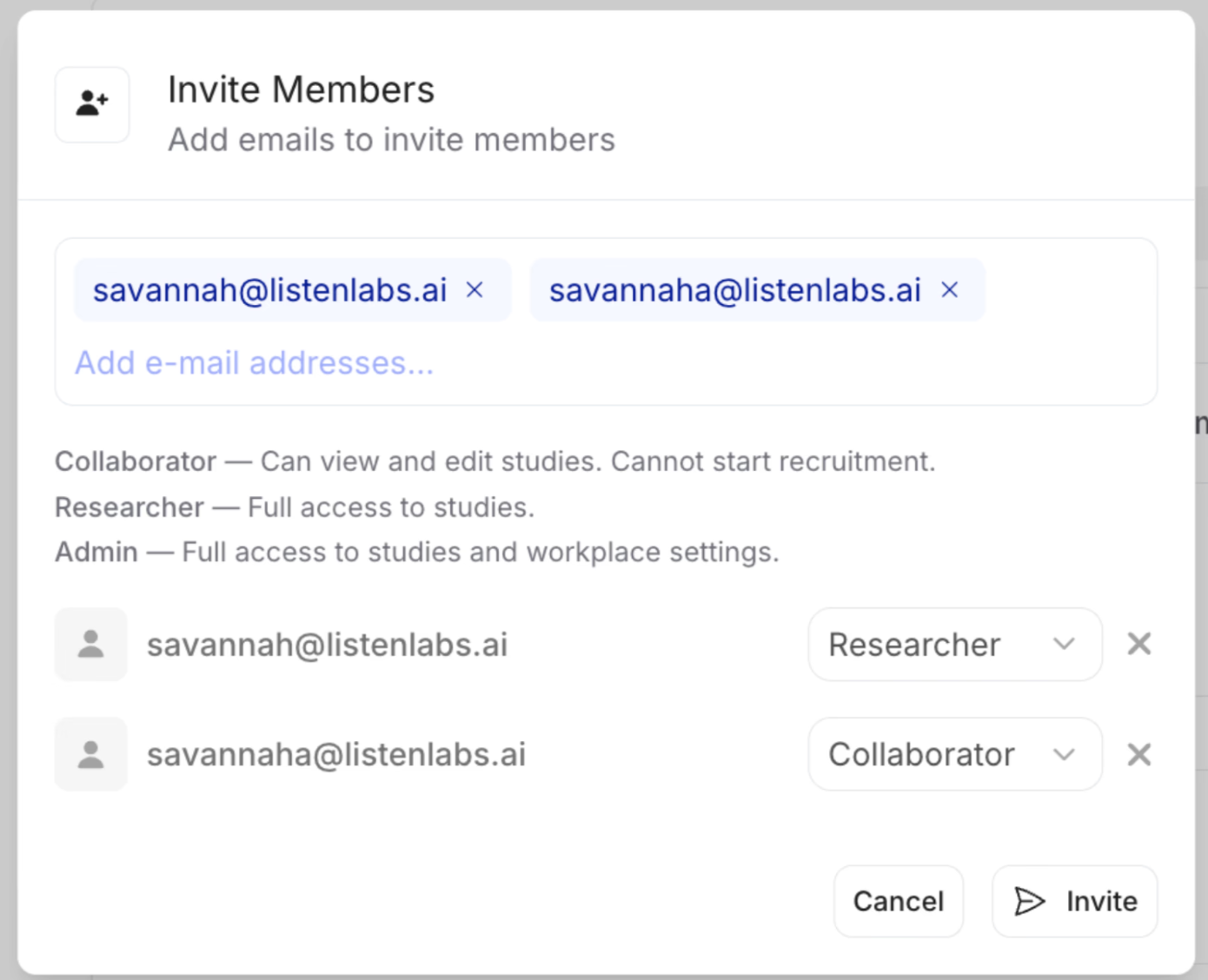
## Inviting Team Members
1. From your dashboard, click **Workspace** in the left navigation.
2. Select **Team Members**.
3. Click **Invite Member** and enter their email address.
4. Assign the appropriate role (Admin, Researcher, or Collaborator).
5. The invitee will receive an email with a link to join the workspace.
Invites expire after 7 days. If a team member hasn't accepted, resend from the Team Members page.
***
**Anything missing?** Let us know at [support@listenlabs.ai](mailto:support@listenlabs.ai) and we'll help you out!
## Seat Types & Permissions
### Organization Roles
* **Admin:** Full control over the organization — all studies, billing, workspace settings, and user management.
* **Researcher:** Can create and launch studies. The standard role for anyone actively running research.
* **Collaborator:** Can create and edit studies but cannot launch them. Great for team members who need review before going live.
### Team Roles
* **Manager:** Can admit new members to the team for a specific study.
* **Researcher (team):** Can edit and view all studies shared with that team.
### Automatic Permissions
* Organization Admins automatically get full access to all studies in the workspace.
* Study creators always have full access to their own studies, regardless of team role.
**New in February 2026:** The Collaborator role lets you scale research creation while keeping quality controls in place — Collaborators can build, but only Researchers and Admins can launch.
## Inviting Team Members
1. From your dashboard, click **Workspace** in the left navigation.
2. Select **Team Members**.
3. Click **Invite Member** and enter their email address.
4. Assign the appropriate role (Admin, Researcher, or Collaborator).
5. The invitee will receive an email with a link to join the workspace.
Invites expire after 7 days. If a team member hasn't accepted, resend from the Team Members page.
***
**Anything missing?** Let us know at [support@listenlabs.ai](mailto:support@listenlabs.ai) and we'll help you out!