

How It Works
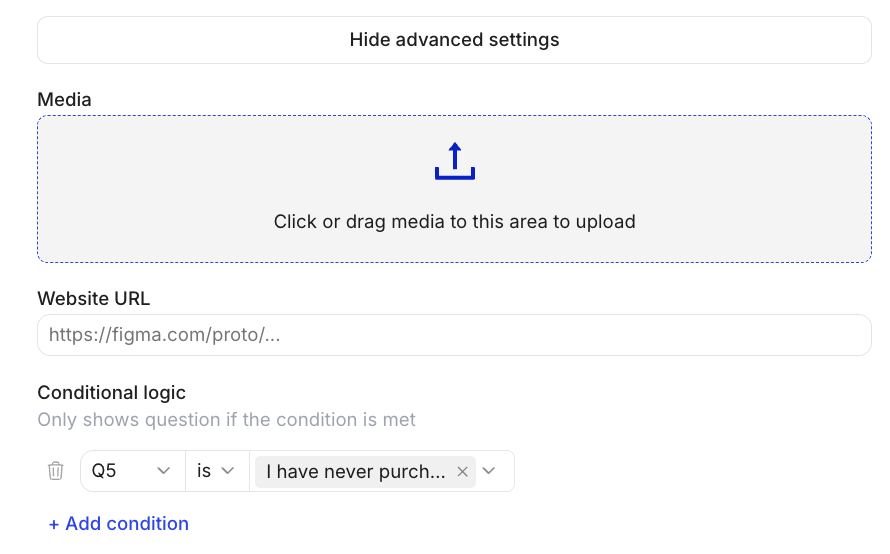
You set conditions on any question to make it display only when specific criteria are met — based on the answers to earlier multiple-choice or closed-ended questions. Example: Show Question 5 only if the participant selected “Yes” in Question 3.Setting Up Conditional Logic
- In the Editor, click into the question you want to conditionally show
- Click Show advanced settings
- Select the earlier multiple-choice question whose answer should trigger the condition
- Choose the specific answer option(s) that should cause this question to appear
- Add additional conditions if needed
Multiple Conditions
You can add multiple conditions to a single question (AND logic — all conditions must be met). Example: Show this question only if the participant is in the US AND selected “Premium” in Q2.URL Parameters & Recruits
You can also segment sample based on URL Parameters or the recruits in the recruit tab. Example: Show this question only if parameter is “user”.Common Use Cases
- Concept-specific follow-ups: Only show questions about Concept A to participants who were assigned Concept A.
- Experience-based routing: Ask different questions to customers vs. non-customers.
- Emotional branching: Show a “what went wrong?” question only to participants who gave a low rating.
- Screener reinforcement: Skip irrelevant discussion guide questions based on screener answers.
Questions about screensharing setup? Email support@listenlabs.ai