

Listen Labs will continue to handle incentive payments for studies we recruit. This feature applies only when you’re sharing your own study link and managing participants directly.
1. Setting Up Incentives in Your Study
- Open or create your study in Listen Labs.
- Scroll down to the Interview End section.
- Toggle on “Reward your Respondents” to enable incentives.
-
Set your incentive amount (e.g.,
$50), taking into consideration how long the study is and what is asked of a participant (e.g., video on vs. audio only) — higher incentives yield higher completion rates and faster fielding times.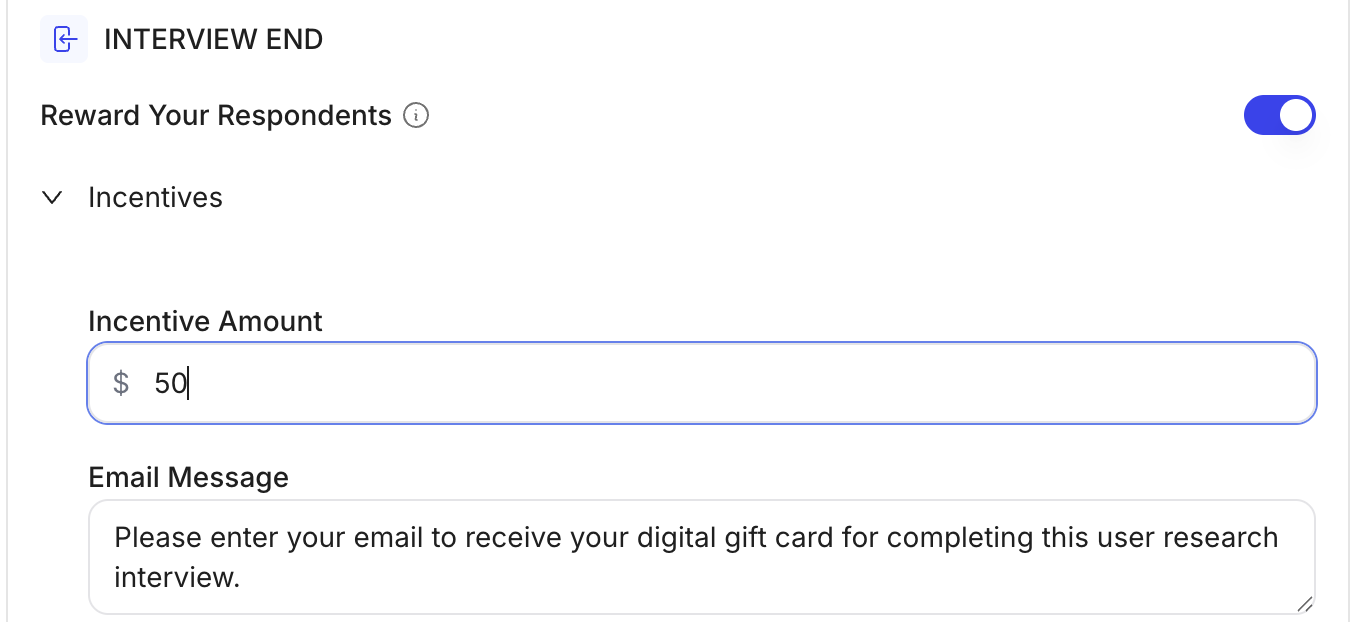
-
Customize the email entry question text — e.g., “Please enter your email to receive your digital gift card for completing this interview”
-
Each participant provides the email address where their digital gift card will be sent.
-
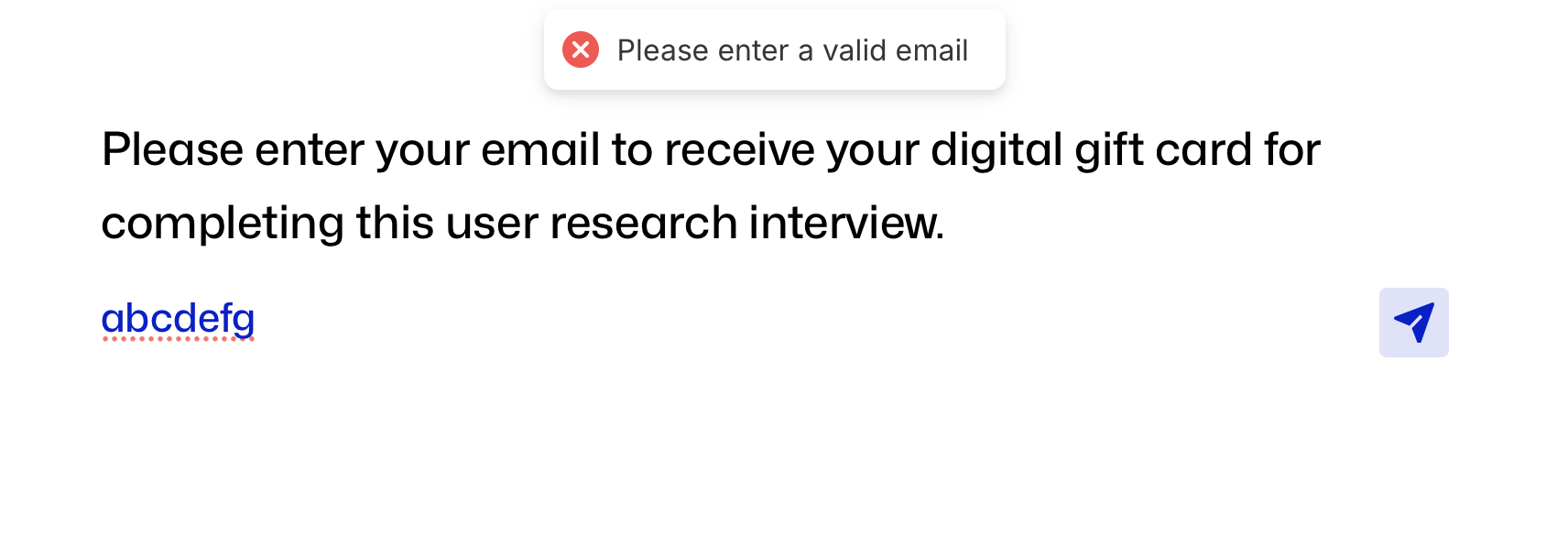
Email input is validated, so respondents must enter a valid address before submitting.
- You can also enable and edit your incentive using the Create Chat. For example, you could prompt “enable a $50 incentive”.
2. Loading an Incentive Balance
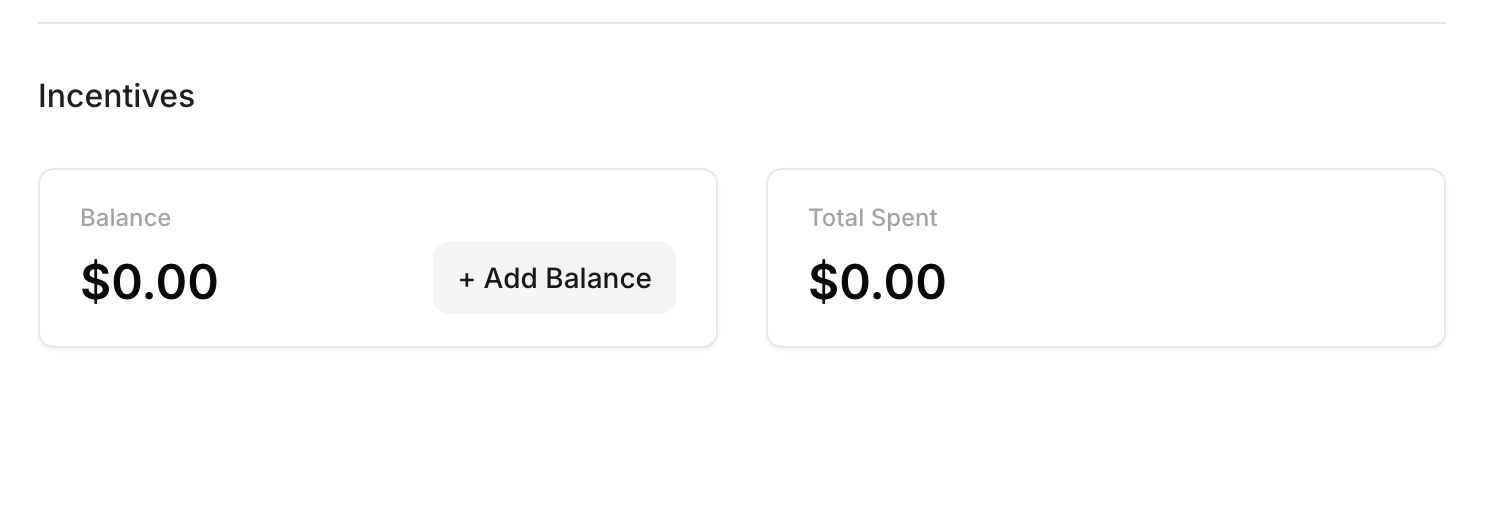
Before paying out the incentives at the close of your study, you’ll need to load funds into your Listen Labs account.- Each organization has an incentive balance that is drawn down as payments are made.
- You can prepay to load a balance, or do this at the time of incentive payout:
To prepay:
- Go to your “Usage & Billing” page on the left side of your Dashboard.
-
Click + Add Balance and enter the amount you would like to load.
- Click Pay. You will be redirected to a Stripe page, where you can complete the payment.
To add funds at the time of incentive payout:
- Click “Pay Incentive”.
-
Click “Insufficient Funds - Add Funds Here”

- This will redirect you to your Usage & Billing page, where you can follow the same steps as above to prepay.
3. Paying Participants
When responses have come in:- Go to your study’s Responses tab.
- You’ll see a column labeled Incentive Status showing which participants are eligible for payment and which have already been paid.
- Click Pay Incentive to send the digital gift card.
-
You can pay participants one at a time by clicking “Pay Incentive” in their respective row.
-
Or, you can also pay in bulk by selecting multiple participants and pressing “Pay Incentives”.
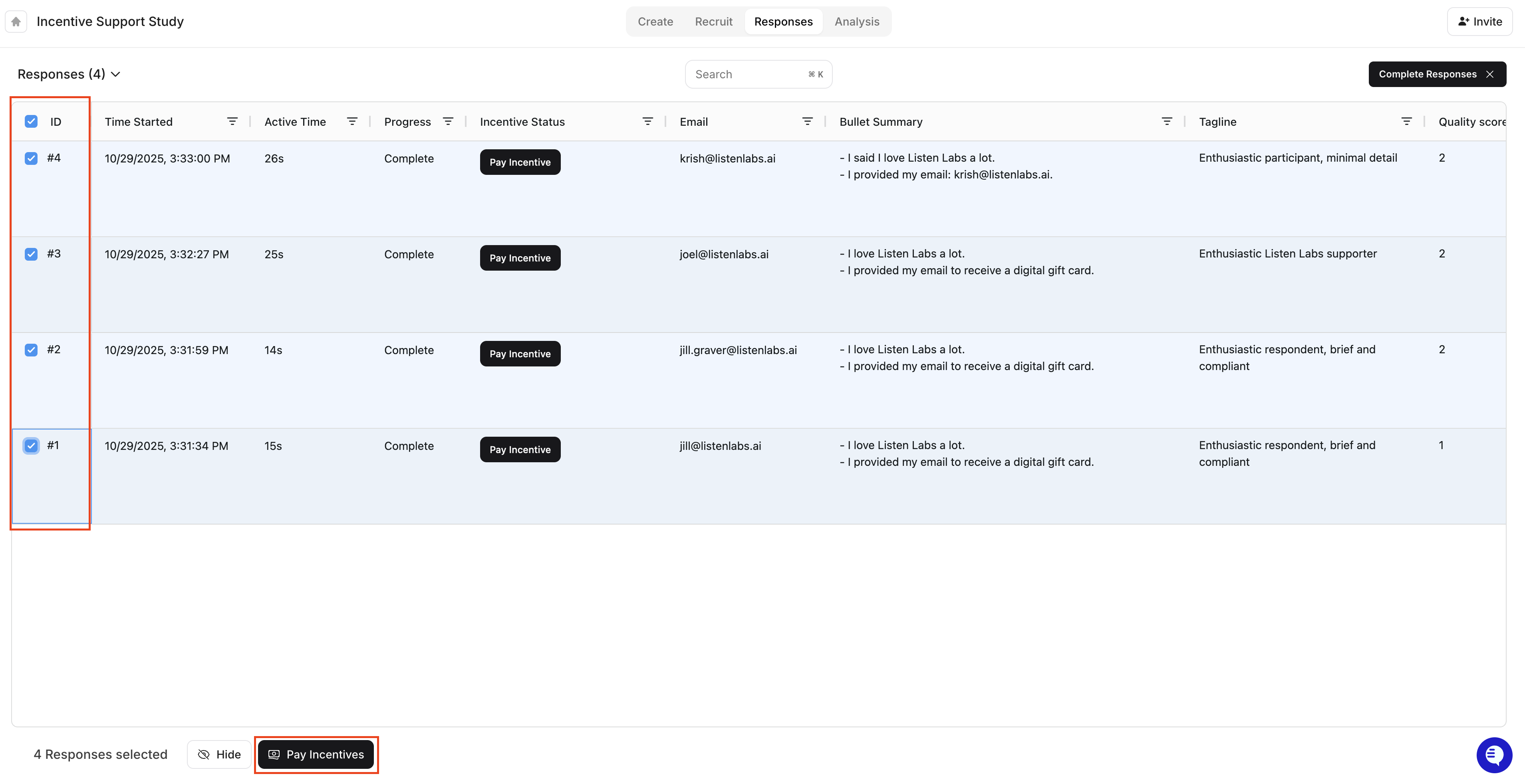
- Once paid, the incentive status will update automatically, and the participant will receive their reward via email.
4. What Participants Receive
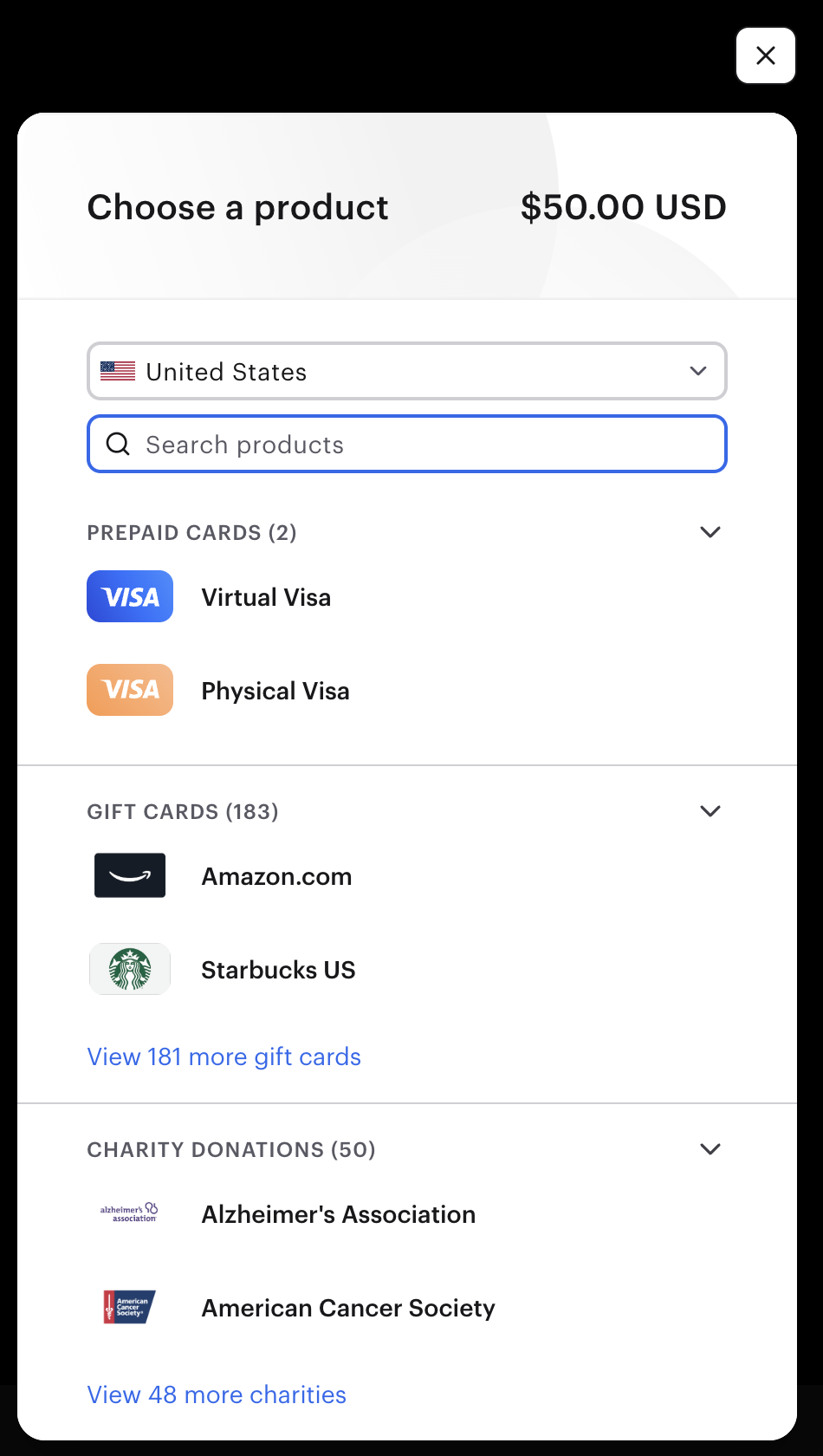
Participants will get an email from Tremendous, our trusted payout partner, with their digital reward.They can choose from: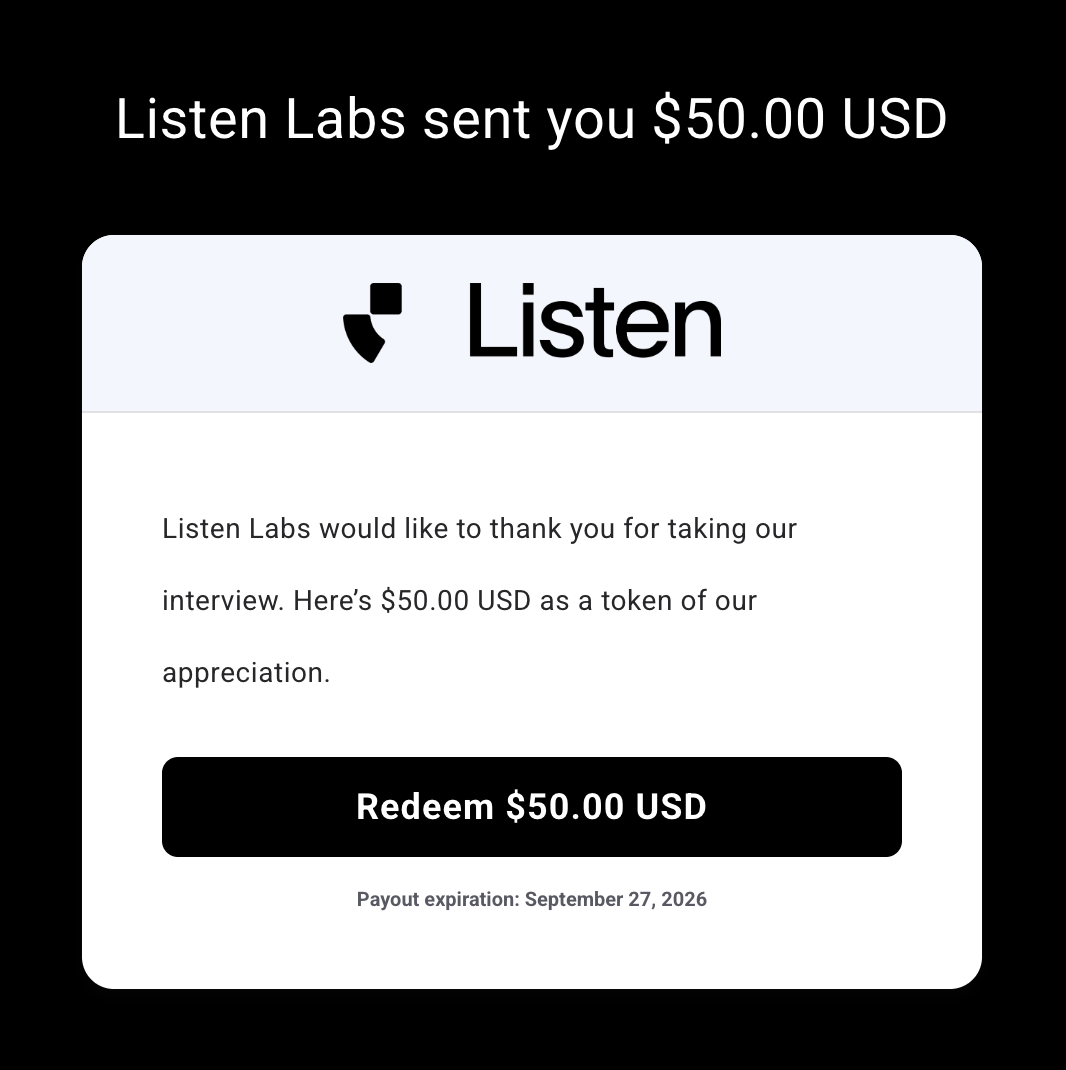
- Thousands of gift card options (e.g., Amazon, Starbucks, Kroger etc.), varying by region.
- Prepaid Visa card
-
Donating the amount to charities
5. FAQs
Can I pay someone twice?
No — once a participant has been marked “Paid,” that entry cannot be paid again.Can I pay a respondent that only completed part of the study?
No — the system will prevent you from paying participants that did not complete the entire study.How quickly do payments go out?
Payments are typically processed instantly and reach participants within minutes.Can I set a limit on how many gift cards I will pay out per study?
Yes, you can set a response limit on your Recruit tab within the Listen platform and thereby limit how many incentives you will end up paying out.Can I customize the look and branding of the incentive email the participants will receive?
Yes. To customize the incentive email, reach out to your Listen Labs contact for support, or email support@listenlabs.ai.Can Listen Labs refund a mistyped email payment?
The funds cannot be easily recovered or reissued. Please remind participants to double-check their email before submitting.Do I have to set this up if Listen is handling recruitment for me?
No, Listen Labs will continue to handle incentive payments for studies we recruit. This feature applies only when you’re sharing your own study link and managing participants directly. -
Or, you can also pay in bulk by selecting multiple participants and pressing “Pay Incentives”.
-
You can pay participants one at a time by clicking “Pay Incentive” in their respective row.
-
Email input is validated, so respondents must enter a valid address before submitting.
-
Each participant provides the email address where their digital gift card will be sent.